Job Application Tracker

Installed! One quick step so you don't lose it.

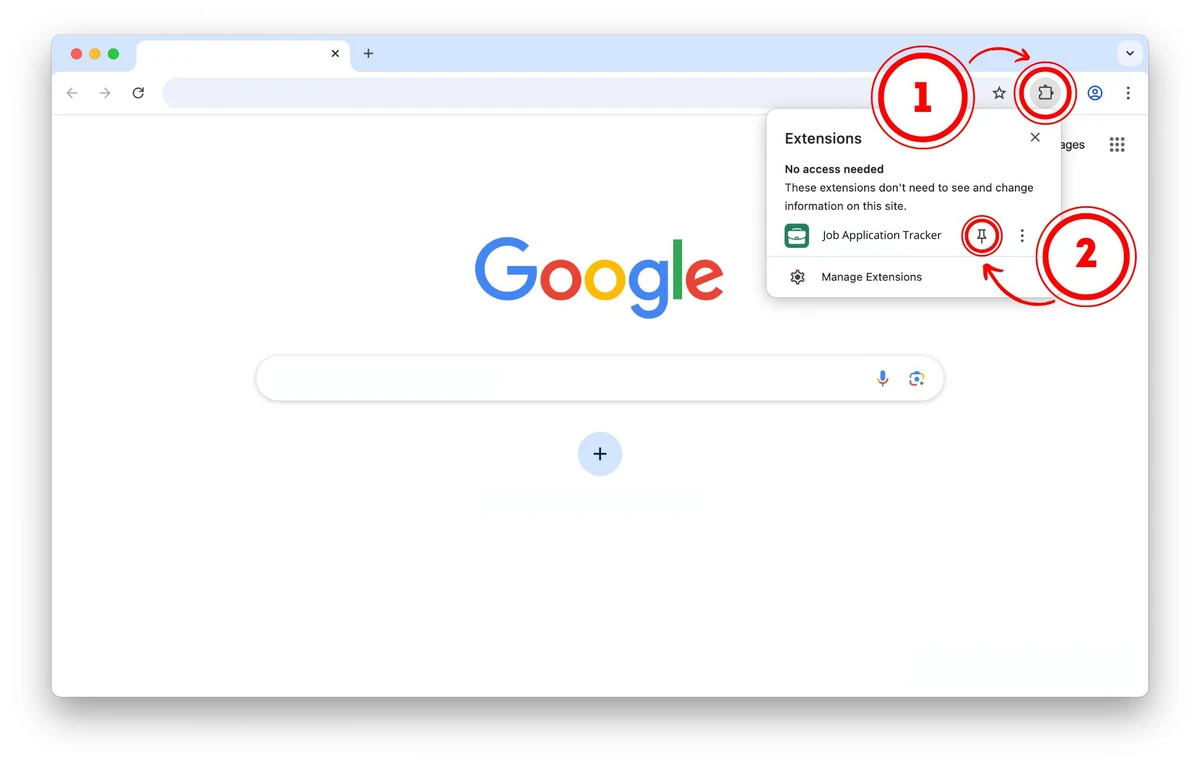
Chrome hides new extensions behind the puzzle icon. Pin Job Application Tracker so it's always one click away.

Pin it to your toolbar

  1. Click the puzzle icon at the top right of Chrome, next to the address bar.
  2. Find “Job Application Tracker” and click the pin 📌 next to it.
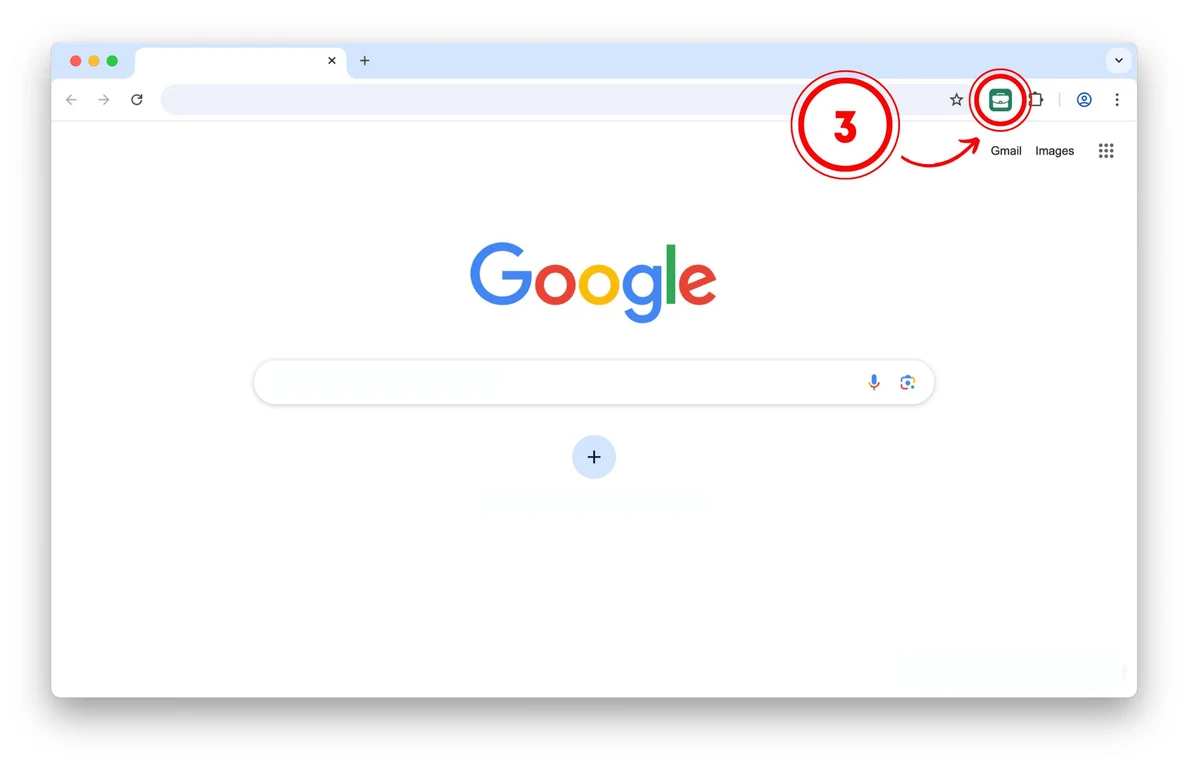
  3. Done — the green icon now lives in your toolbar.

How it works — three steps, no account

  1. Open any job listing on LinkedIn, Indeed, Greenhouse, Lever, or almost any company careers page.
  2. Click “Save Job” — the button appears at the bottom left of the page.
  3. Manage everything from the toolbar icon — statuses, follow-up reminders, notes, and one-click export.
⏰ After 7 days without an update, a job you applied to gets flagged for follow-up — watch for the badge on the toolbar icon.

No sign-up, no account. Your data stays in your browser — export it to Google Sheets or CSV any time.